← All updates

Forged This Week: experience your designs in VR

September 18, 2026

JobForge

Forged This Week

Two new ways to check a kitchen before you cut it — and CabForge opens up.

Experience your designs in VR

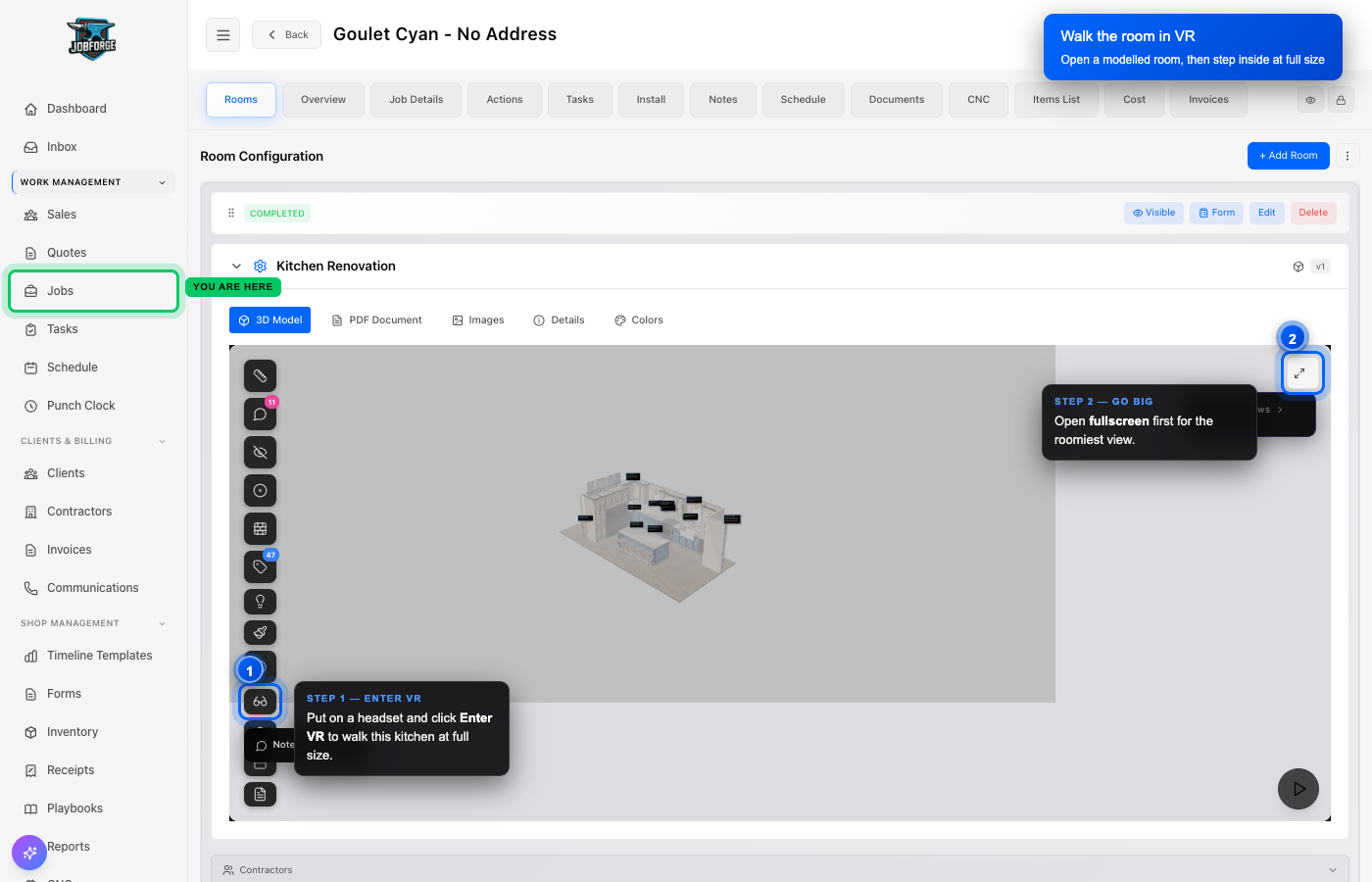
Open a room you've modelled in a headset and walk it at full size — swing the doors, check your reveals, and catch what a drawing never shows you.

A modelled kitchen open in the JobForge room viewer, with the Enter VR button on the tool rail highlighted and labelled

Cut a cardboard floor template

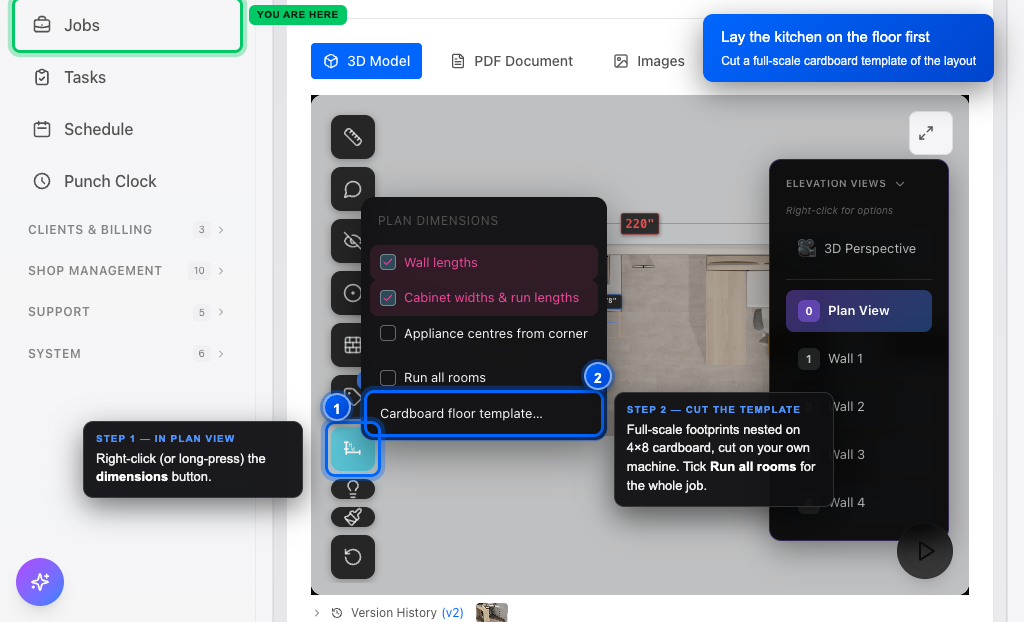
Nest every base and tall footprint onto 4×8 cardboard, cut it on your own machine, and lay the real layout on the customer's floor before you build a box. In a room's Plan View, right-click the dimensions button.

The room viewer in Plan View with the plan dimensions menu open and the Cardboard floor template option highlighted, beside a Run all rooms toggle
CabForge is now in open beta

Draw your own cabinets, start to finish

CabForge is our own cabinet design software — draw the room, build the cabinet, take it to the machine, no other package in the middle. It's open to every shop today.

It's a beta, so please push on it. If something looks wrong, hit the feedback button in the bottom-right of any page — it files a ticket straight to us with the page and a screenshot attached.
Open CabForge

Get the Forge Friday roundup

A short note every Friday with the handful of improvements that matter to a cabinet shop.

I agree to receive the weekly Forge Friday product roundup from CabForge Systems (JobForge). I can unsubscribe at any time using the link in any email.

CabForge Systems, 510 Sixth Street, Nelson, BC, Canada · support@job-forge.app