|
Forged This Week
More control at the CNC, and plan sets drawn your shop's way.
|
|
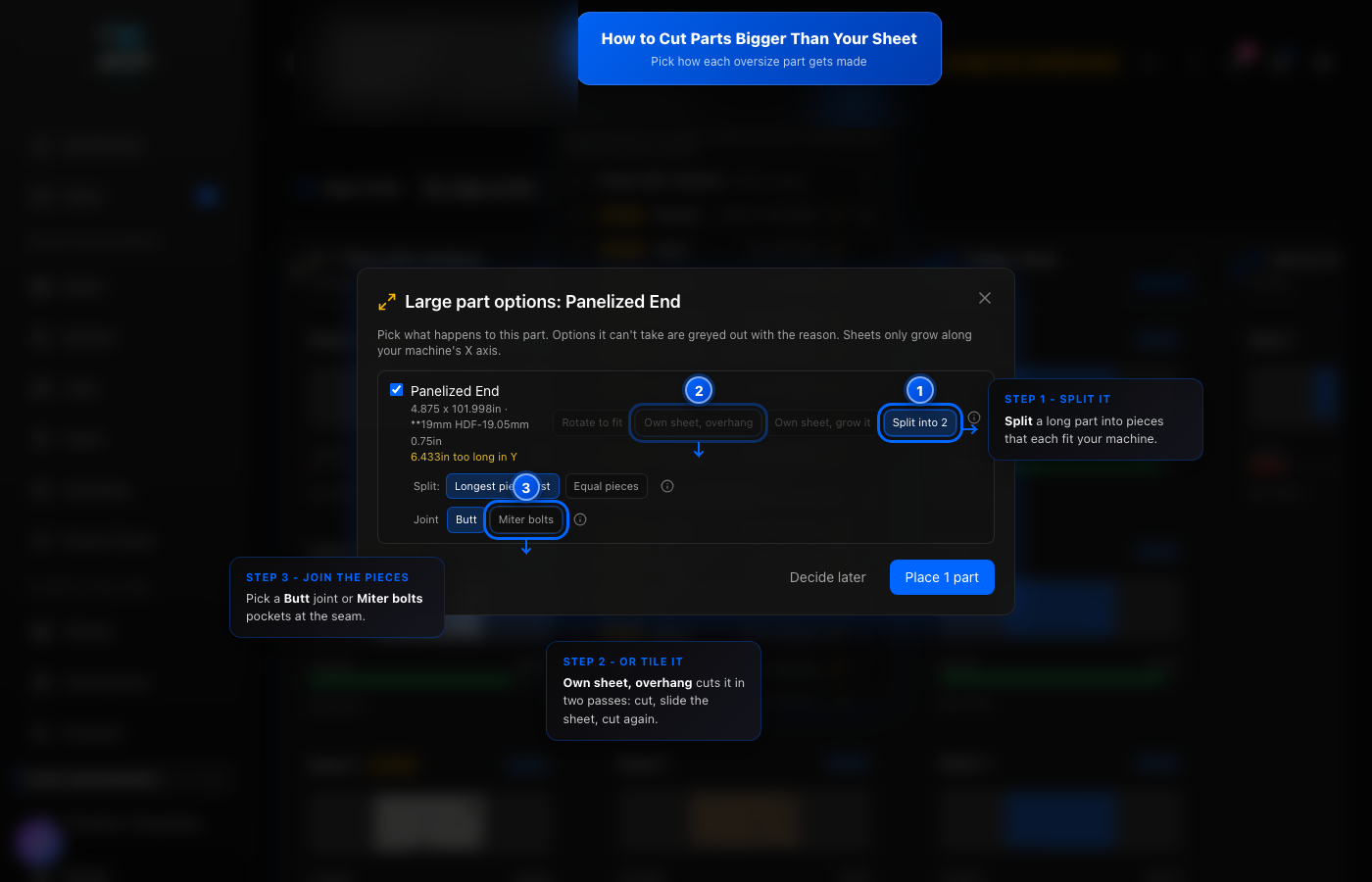
A part too long for your machine can now be split into pieces with butt or miter bolt joints, or cut in two passes on its own sheet.
Where to find it: Sidebar > Shop Management > CNC > open a job > Parts to place > Large part options
Try it in JobForge
|
|
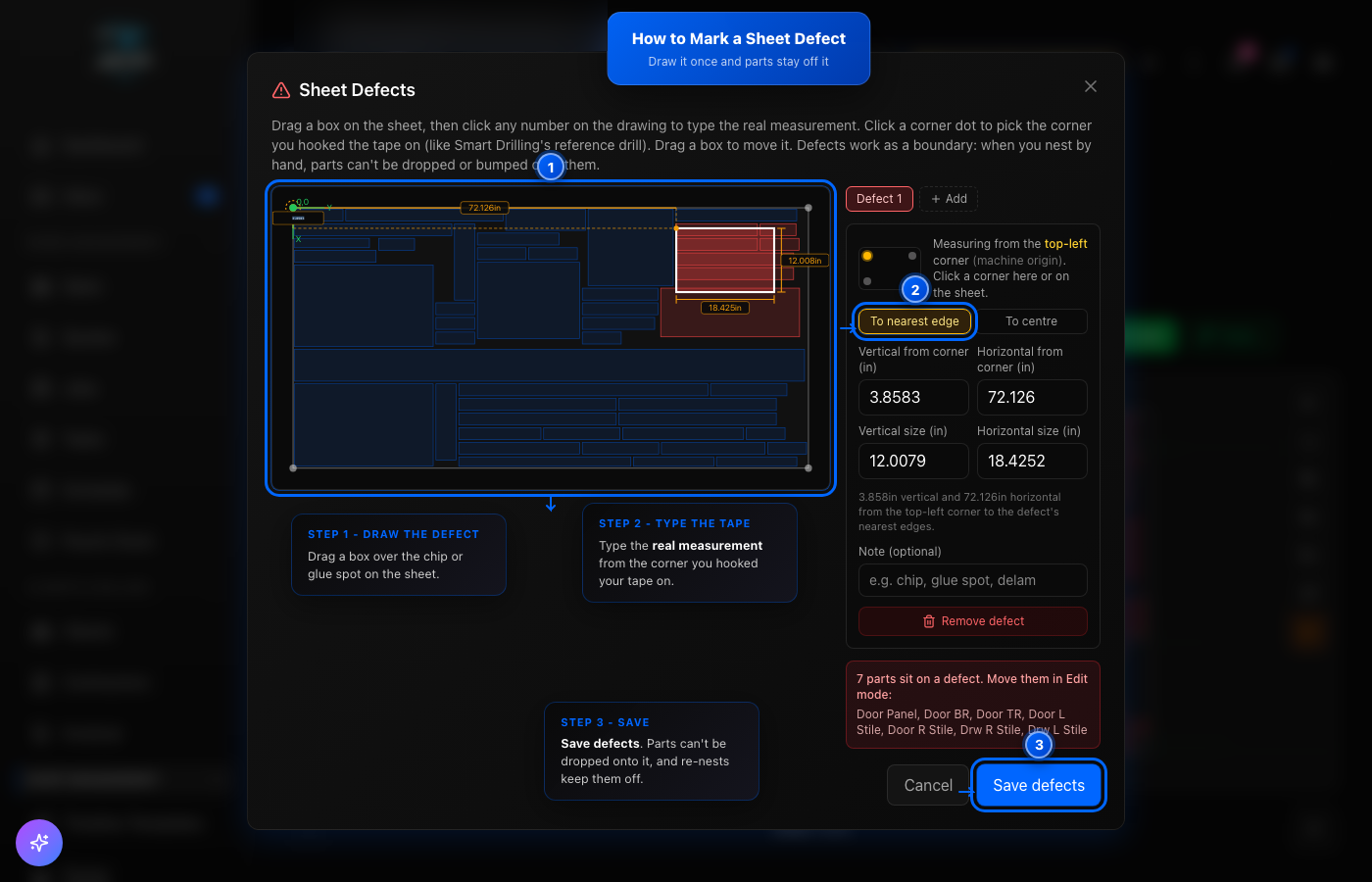
Box a chip or glue spot on a sheet, type the tape measurement, and parts stay off it, even when you re-nest.
Where to find it: Sidebar > Shop Management > CNC > open a job > open a sheet > Mark defect
Try it in JobForge
|
|
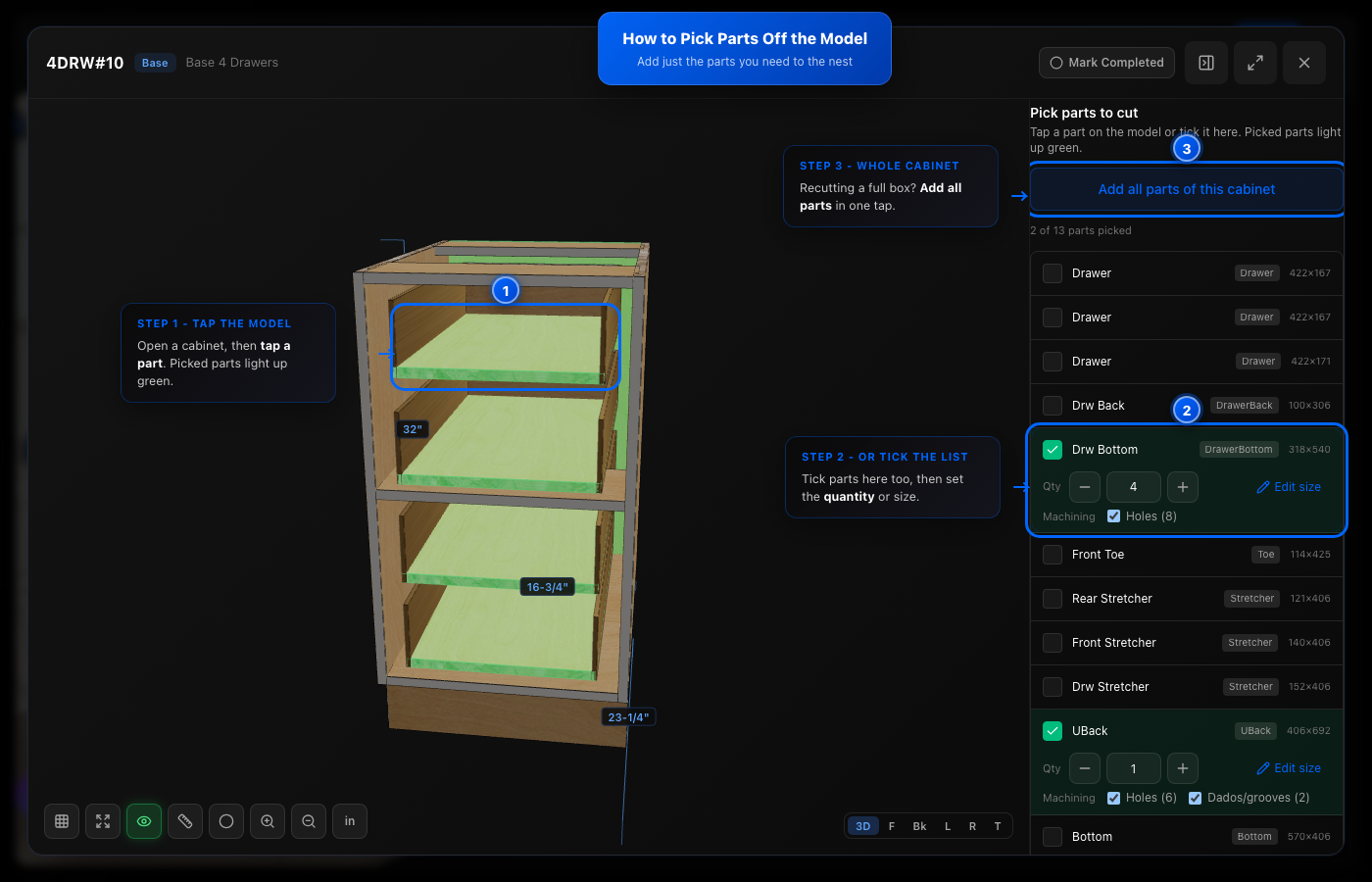
Add parts to a nest by tapping them on the 3D cabinet instead of hunting through a parts list.
Where to find it: Sidebar > Shop Management > CNC > Import from Job > tick a room > Pick from model
Try it in JobForge
|
|
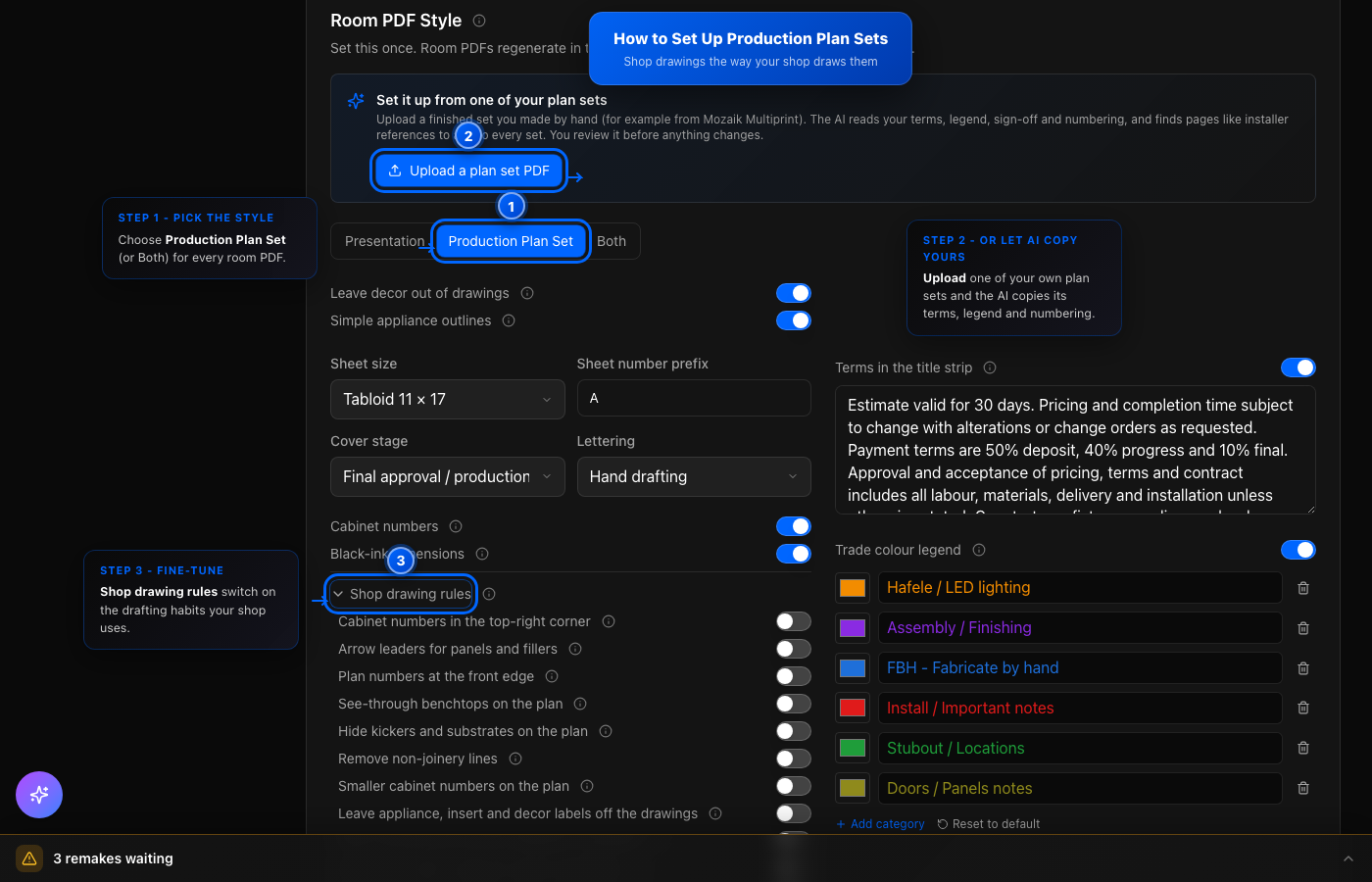
Production plan set PDFs now take your own drafting rules, or let AI copy the terms, legend and numbering from a plan set you already use.
Where to find it: Sidebar > System > Settings > Room Settings > Room PDF Style
Try it in JobForge
|
Feature Spotlight
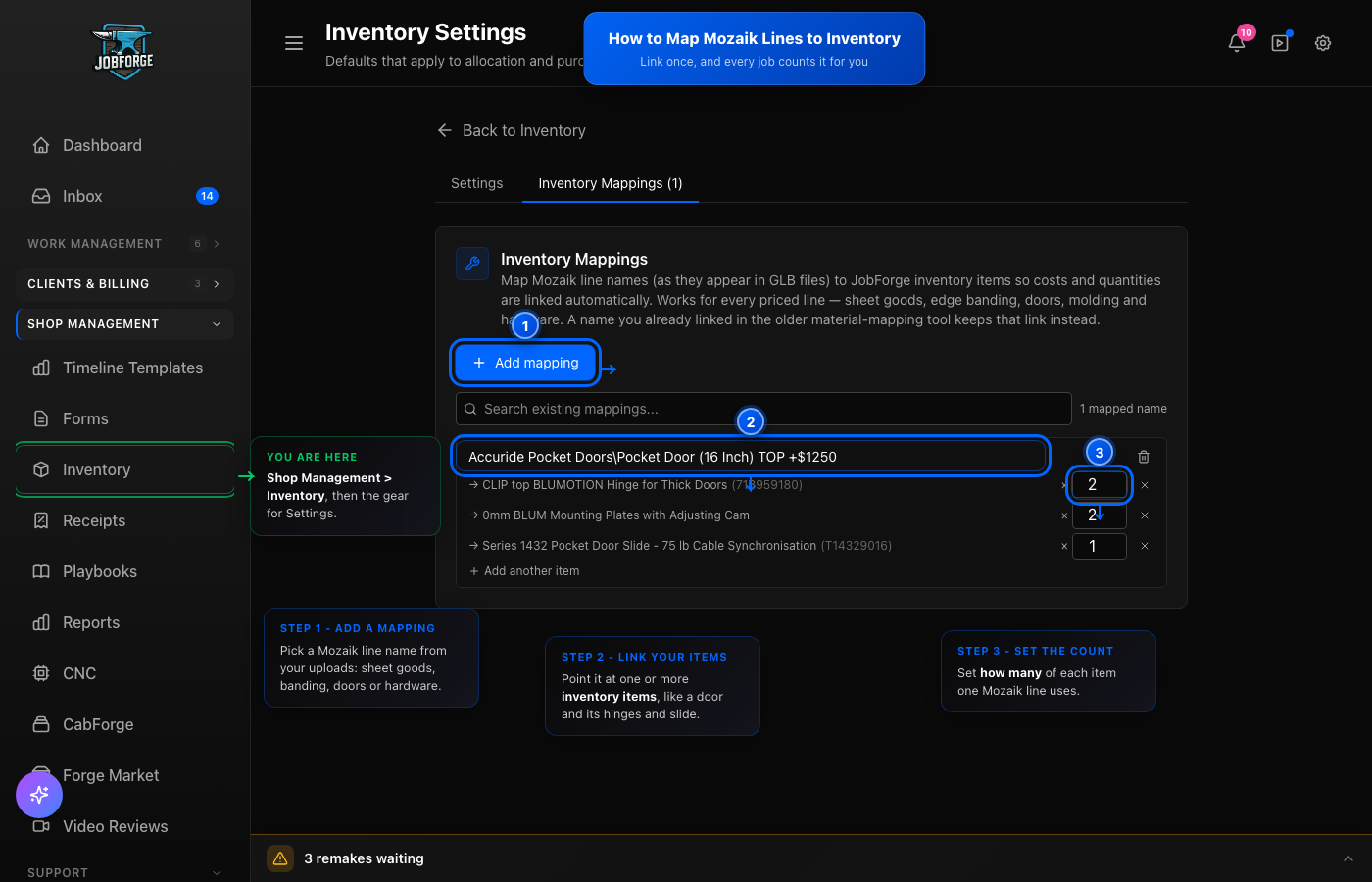
Link a Mozaik line to your stock items once, and every job's materials and hardware get counted and costed for you.
Where to find it: Sidebar > Shop Management > Inventory > Settings (gear) > Inventory Mappings
Try it in JobForge
|