← All updates

Forged This Week: a cutting queue for your CNC

November 7, 2026

JobForge

Forged This Week

A cutting queue at the CNC, production on the 3D room, and logins for the whole crew.

A cutting queue for your CNC

Line up sheets per machine so the operator always knows what to cut next, with sheets cut today against your average and best day.

Where to find it: Sidebar > Shop Management > CNC > Cutting Queue
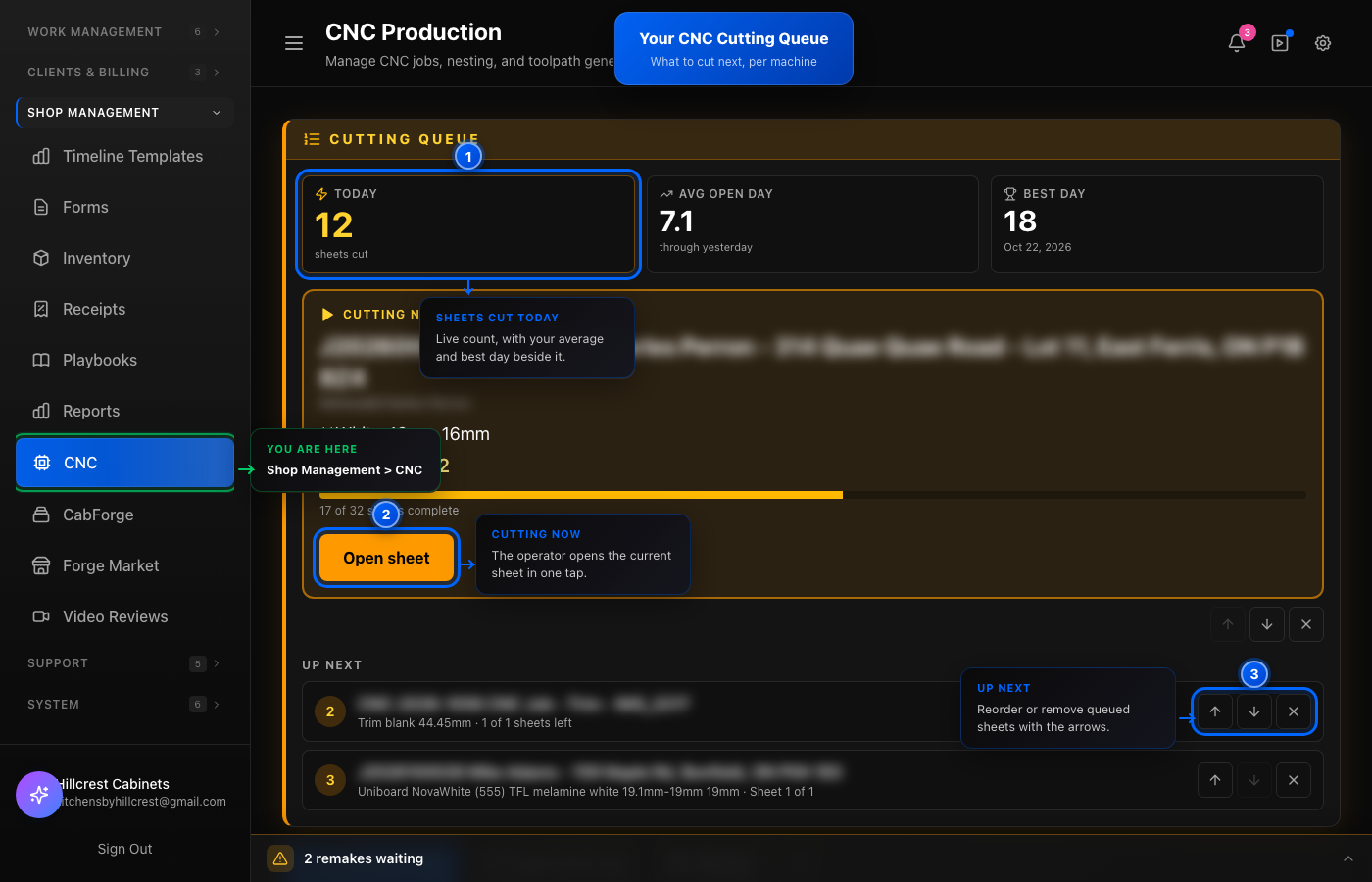
The Cutting Queue with the sheets cut today count as step 1, the Open sheet button on the sheet cutting now as step 2 and the reorder arrows on the next sheet as step 3

Try it in JobForge

See production on the 3D room

Colour every part on the room model by its shop stage, from cut and edgebanded to finished and assembled.

Where to find it: Sidebar > Jobs > open a job > Rooms > 3D Model > flame button
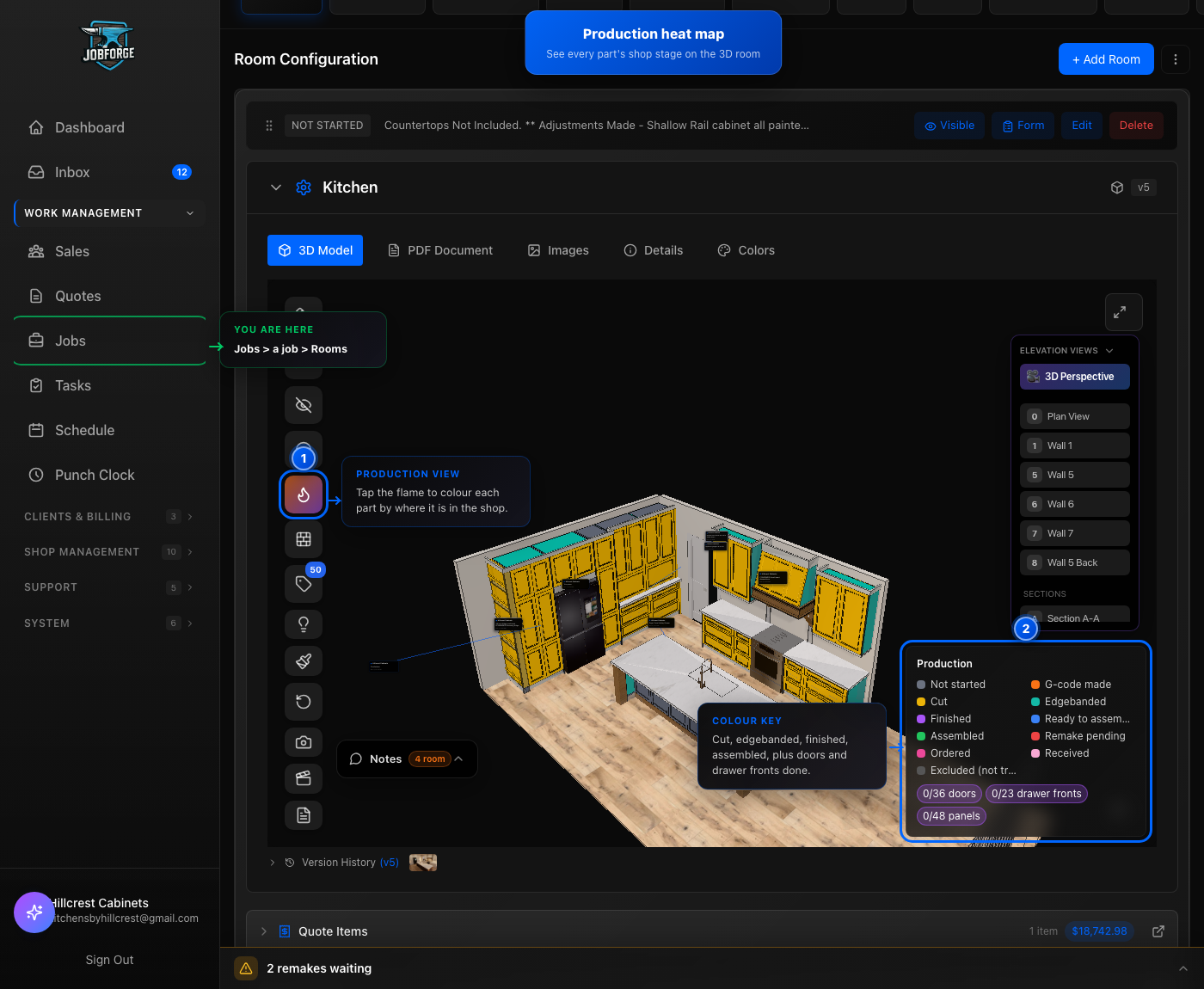
A kitchen in the 3D room viewer with cut cabinets in yellow, the flame Production view button as step 1 and the Production colour key as step 2

Try it in JobForge

Recut lost parts in two taps

Tick a damaged or missing part on the job Items List and the CNC import opens with it already picked.

Where to find it: Sidebar > Jobs > open a job > Items List > scissors on a part > Recut
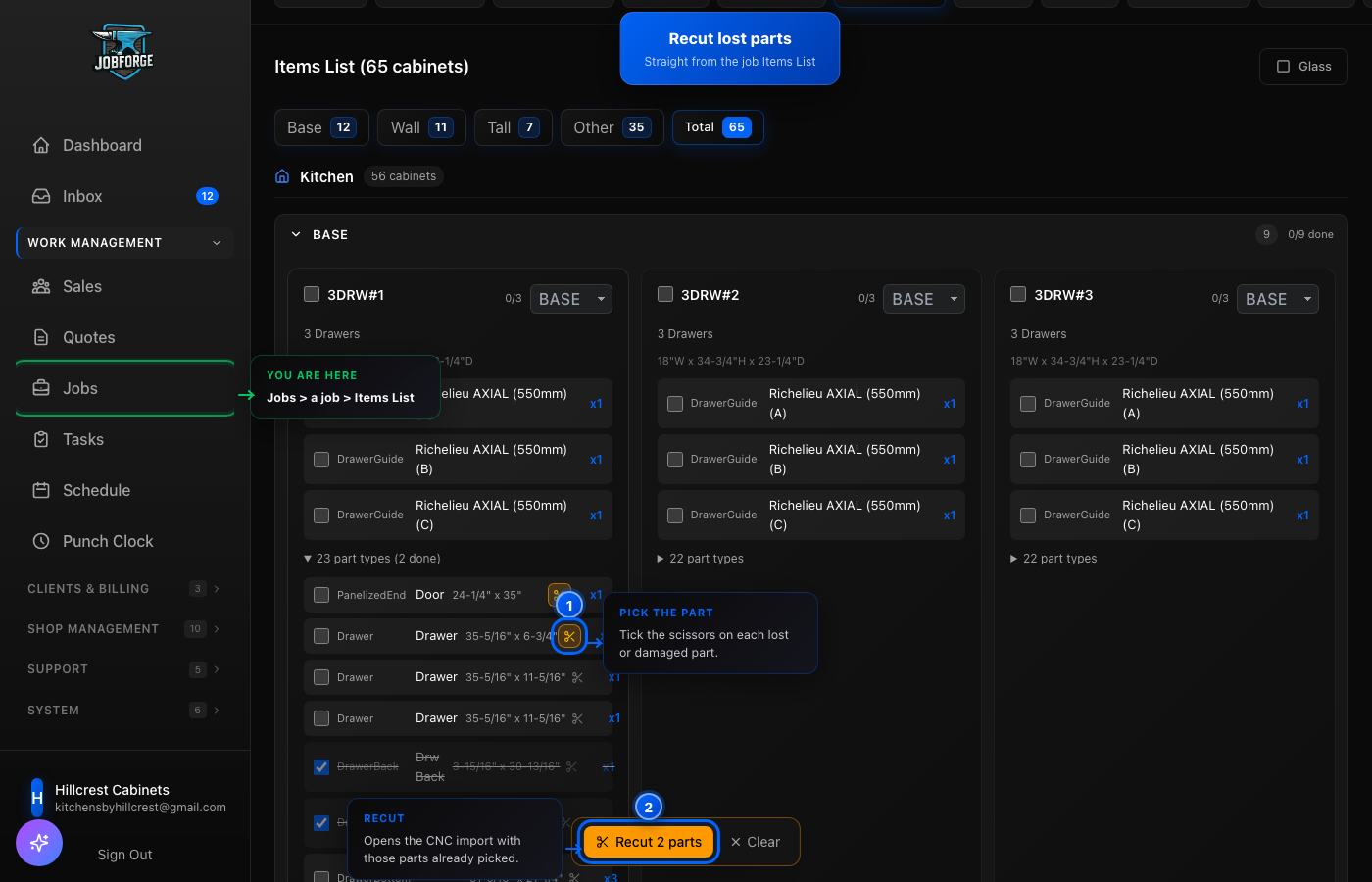
The job Items List with the scissors on a drawer part as step 1 and the Recut 2 parts button as step 2

Try it in JobForge

Logins for staff without email

Give shop staff a username and an easy password, then print them a login sheet with a QR code.

Where to find it: Sidebar > System > Settings > Teams > Team Members > Add Member
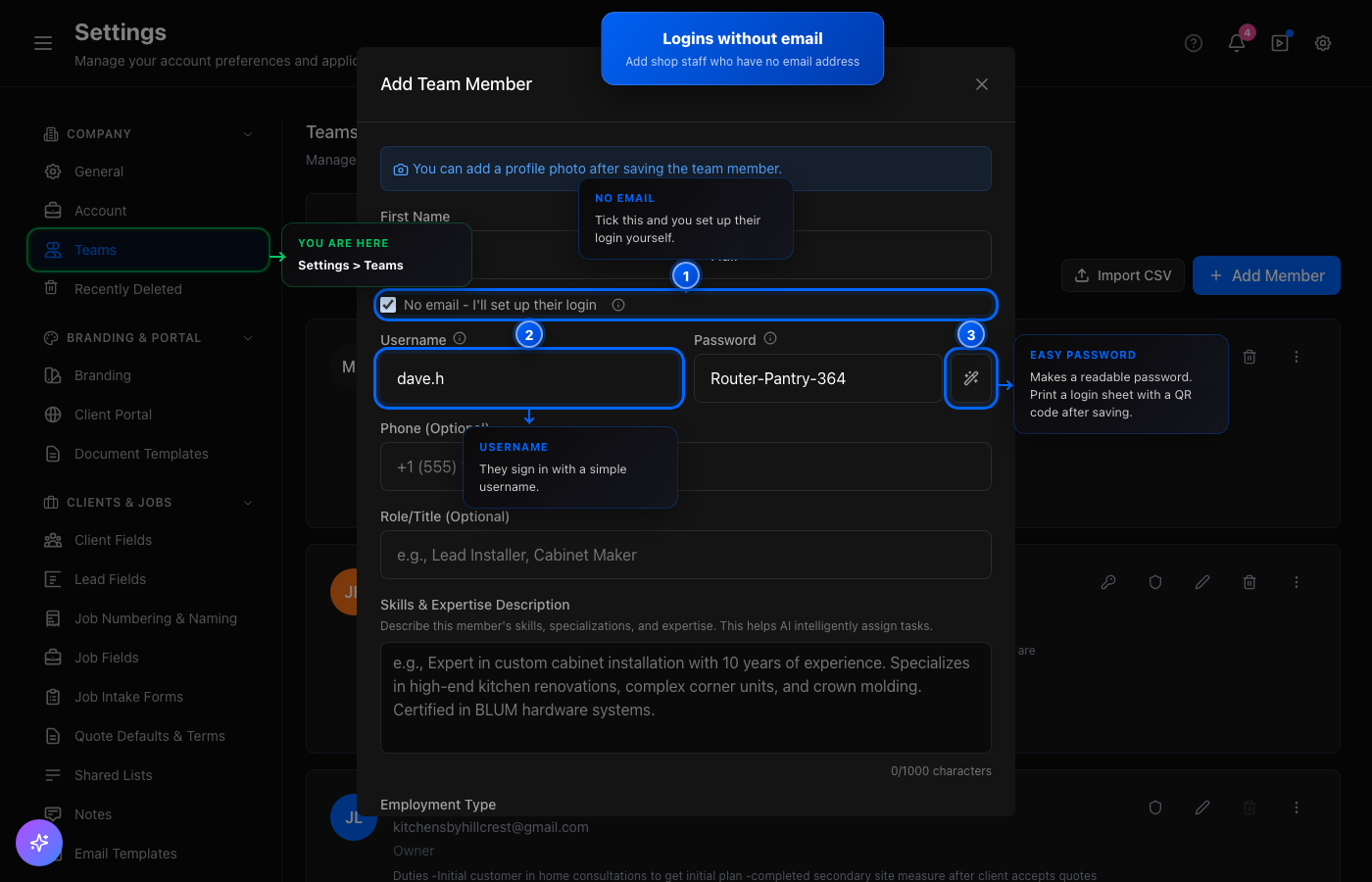
The Add Team Member window with the No email checkbox as step 1, the Username field as step 2 and the easy password button as step 3

Try it in JobForge

Feature Spotlight

Schedule a whole job at once

Save your shop's steps as a timeline template, then drop every task and date onto a new job in one click.

Where to find it: Sidebar > Shop Management > Timeline Templates
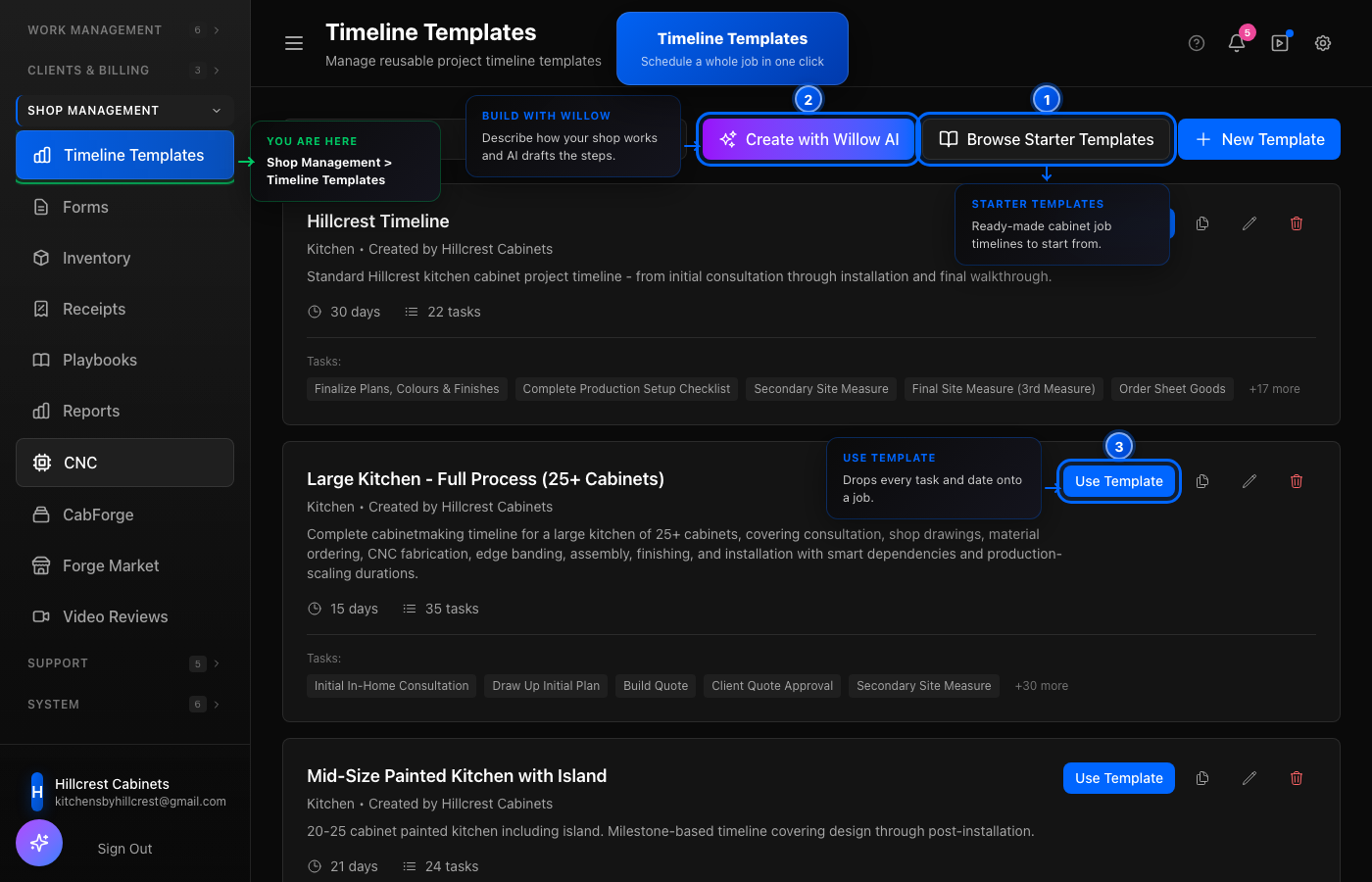
The Timeline Templates page with Browse Starter Templates as step 1, Create with Willow AI as step 2 and a template's Use Template button as step 3

Try it in JobForge

Get the Forge Friday roundup

A short note every Friday with the handful of improvements that matter to a cabinet shop.

I agree to receive the weekly Forge Friday product roundup from CabForge Systems (JobForge). I can unsubscribe at any time using the link in any email.

CabForge Systems, 510 Sixth Street, Nelson, BC, Canada · support@job-forge.app